I am trying to fit myself into this image of a networked practitioner.
Thinking about this deeply had brought forth a bout of excitement in me mixed with a tinge of fear. I am coming from an environment where technology is still largely interpreted as just a replacement of paper and pencil and something people use for entertainment.
I have always known that there is more to technology application than what I learned in my environment. As I venture into learning in this module, I am making some changes to the way I think and approach situations.
I am bent on pushing forward. I see myself getting engaged online meaningfully.
The poster is created in PowerPoint with accessibility features included. It comprises of texts, animation, image, links.
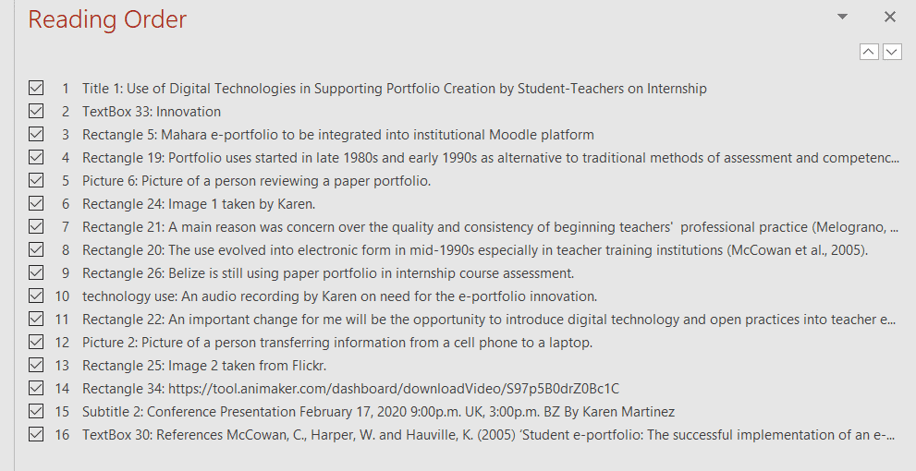
A reading order is created to assist screen readers (those with visual impairment) in reading the information in a structured way. A total of 16 parts are included. The images also have descriptions.
On the poster in slideshow view, a click brings in the theme innovation, spelled out by letter from the left to the middle, below the topic. A chime sound is heard when the theme appears.
Audio (my voice) can be activated by another click after reading of the section on Belize still using paper portfolio. An audio transcript is added to assist deaf readers.
Audio transcript (added as ppt notes)
We can’t keep trimming the branches off a dying tree. In this 21st century, we ought to be making use of digital technologies to enhance our students’ experiences.
Two links are available on poster: first, the YouTube link to the invitation video and second, the link to the official conference program.
Invitation Video created in Animaker (free version)
Comprises of two scenes (30 seconds)
SCENE ONE
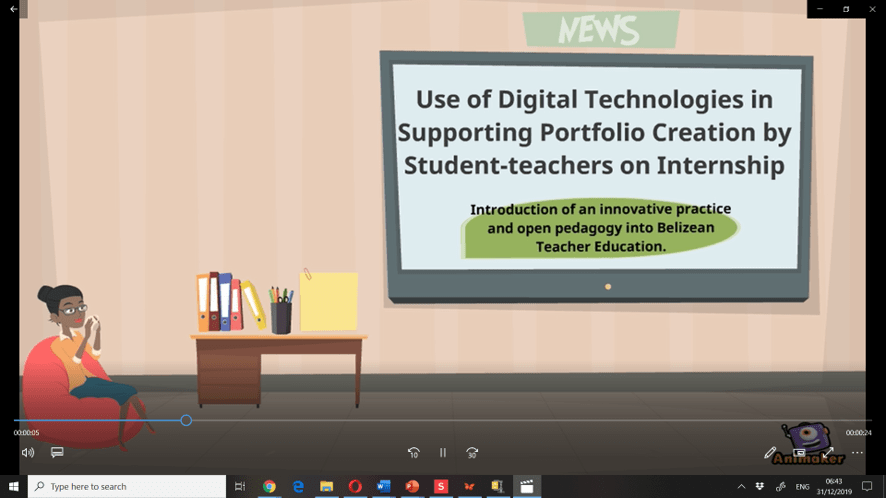
Professionally dressed woman (in shirt and skirt) is sitting on a red couch sipping coffee and thinking while looking at the news on the flat screen. An instrumental music, themed pleasant journey, is playing in the background while my presentation topic is shown on the screen followed by information in a green call out shape on the introduction of an innovative practice and open pedagogy into Belizean Teacher Education.
Presentation topic is use of digital technologies in supporting portfolio creation by student-teachers on internship.
On her left is a work desk covered from left to right with neatly stacked 3-ring binders, a black pen holder with pens, and a yellow note pad.
SCENE TWO
Audio invitation (transcript below) transitions between the scenes.
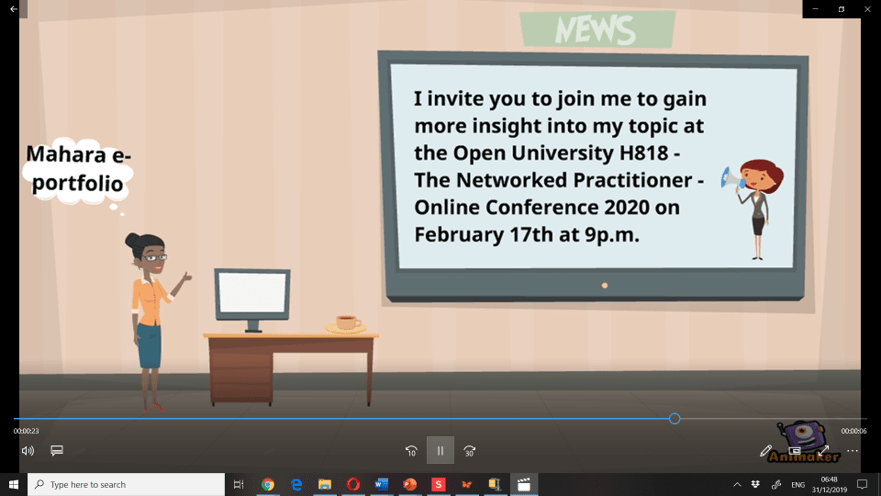
My invitation to the conference is displayed on the screen.
The camera zoomed in on the last part with the date and time of the conference just as the audio was ending. This is for emphasis.
A personal computer monitor replaced the stationeries that were in scene one. A cup of coffee sat next to it.
The professional woman, walking in while audio is playing, gave a thumbs up towards the screen as a positive sign of interest.
She got an idea and thought of using Mahara e-portfolio to replace the file folders.
Audio transcript(added as ppt notes)
I invite you to join me to gain more insight into my topic at the Open University H818: The Networked Practitioner Online Conference 2020 on February 17th at 9p.m.
I plan to write about my journey experimenting with new features of openness, innovation and technology. I want to connect with persons who will be able to encourage, support and advise me as I learn to build my own learning network and increase my social capital. I am hoping to gain enough confidence and contacts/network to be able to lead others into experiencing and leveraging the benefits of technology.
I am now understanding the importance of networking in academia. This makes solving problems easier. People are out there ready to render a helping hand, give suggestions and make meaningful comments. Their individual social networks may also prove useful. There is no longer a need for anyone to suffer alone or to be apprehensive about facing uncertainty as they work on a project.
I have not done much formal work with multimedia before. As a challenge to myself, I chose a project that required multimedia inputs. With advice and tips from co-learners and tutors, I have managed to use additional social networking tools or open source software in my work. These include the use of Powtoon (a video maker with a free 14 days trial) and Mahara e-portfoli (an open source online tool you can use to document your work which can be integrated into your institutional virtual platform).
I am working here with WordPress (an open source site building software). At this point I am using wordpress.com (easy and convenient to use). I am also still learning to use PowerPoint effectively in creating multimedia documents that are largely accessible and usable.
As I seek to improve my digital skills, I have enrolled in some free courses offered by OpenLearn and followed (and tried) links shared by fellow learners via the OU forum or open-studio. These added tasks provided me with some additional knowledge I need to effectively participate and perform required functions.
Though all this required the expending of sparse time, I am finding the entire experience very rewarding and satisfying.
 KayDoc's
You must be logged in to post a comment.